Reviewed · REYKJAVíK TOURS
Rent Unlimited High Speed pocket Wifi in Iceland
One small box can save a trip. This Iceland pocket WiFi rental gives you unlimited 4G data across Iceland, connects up to 10 devices, and avoids swapping SIM cards. I like the choice of rental periods from 4 to 100 days, and I like the simple airport return using a prepaid mailbox. The main concern is pickup confusion, since several customers had trouble getting the device from the counter.
For a group, the fixed price can be excellent value. At $67 per group, ten people would pay about $6.70 each before any other booking costs. I also like that the modem supports phones and laptops, not just one handset. Still, you need to read the pickup instructions carefully and keep the confirmation details handy.
In This Review
- Key points to know before booking
- What this Iceland WiFi rental actually provides
- Choosing a rental period from 4 to 100 days
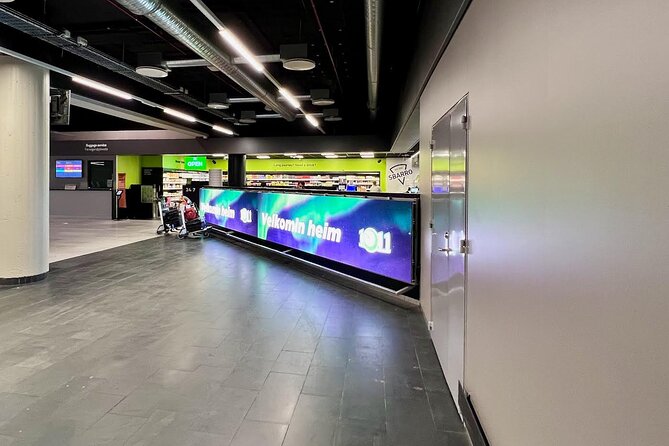
- Picking up the modem at Keflavík Airport
- Using the hotspot across Iceland
- Why group size changes the value
- Returning the orange box at the airport
- Speed, coverage, and the 4.2 rating
- Who should book this Iceland connection
- My booking advice
- FAQ
- Where do I pick up the pocket WiFi?
- Where do I return the device?
- Where are the airport return mailboxes?
- How many devices can connect at once?
- Is the data unlimited?
- Do I need to change my phone SIM card?
- How long can I rent the device?
- How much does the rental cost?
- Is airport transportation included?
- Can I cancel or change the booking?
Key points to know before booking
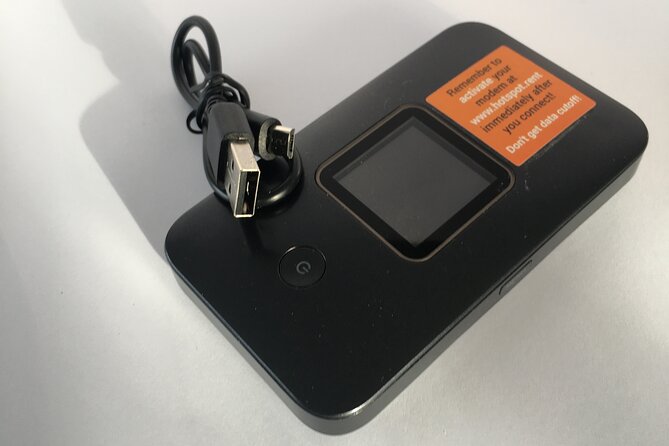
- Up to 10 devices at once: Connect phones, tablets, or laptops through one portable hotspot.
- Unlimited 4G data: Useful for maps, messages, online bookings, and general internet use across Iceland.
- Rental periods from 4 to 100 days: Pick a short option for a stopover or a longer one for an extended Iceland trip.
- Airport return is built in: Put the modem and USB cord back in the orange box and leave it in a prepaid mailbox at Keflavík Airport.
- Group pricing can work well: The $67 rate applies per group of up to 10 people, not per device.
- Pickup needs extra care: Counter staff at some pickup points have not always understood mobile vouchers or order codes.
What this Iceland WiFi rental actually provides
This is a portable internet hotspot, often called pocket WiFi. You carry the small modem with you and connect your devices to its wireless signal. The service uses unlimited 4G data, so you can keep your regular SIM card in your phone.
That last point matters. If you use your own SIM card for calls or text messages, you do not need to remove it or change your phone settings. You connect to the rented hotspot just as you would connect to any other WiFi network.
I see three practical uses here. First, you can use online maps while moving around Iceland. Second, your group can stay in touch without each person buying a local data plan. Third, you can connect a laptop or tablet, which is useful if you need to work during the trip.
The modem supports up to 10 laptops or mobile devices. That does not mean every device will always get the same speed at the same time. Ten connected devices can put more demand on the hotspot than one phone. Still, the capacity is generous for a family, group of friends, or small work party.
The service is intended for use anywhere in Iceland. The supplied information describes unlimited 4G coverage across the country, but no mobile network works perfectly in every remote spot. You should still expect the signal to depend on local coverage. For city visits and normal touring, the central benefit is simple: one connection serves the whole group.
A few more trips people compare before booking
- Reykjavik: Golden Circle Full-Day Tour with Kerid Crater
★ 4.8 · 24,485 reviews - Reykjavik Food Walk – Local Foodie Adventure in Iceland
★ 5.0 · 18,952 reviews - Iceland: Northern Lights Bus Tour from Reykjavik
★ 4.1 · 11,161 reviews
Choosing a rental period from 4 to 100 days
You can rent the hotspot for approximately 4 to 100 days. That range covers most normal Iceland trips, from a short city break to a long stay.
For a four-day visit, the device may be worthwhile if you are sharing it among several people. A solo visitor who already has generous phone data might find the fixed group price less attractive. A family of four or five can spread the cost, especially if everyone plans to use maps, messaging, and internet services throughout the day.
The value improves as your group gets larger. At the full limit of 10 connected devices, $67 works out to about $6.70 per person. With five people, it is about $13.40 per person. With two people, it is $33.50 each. These figures make the rental most appealing when several people share the modem.
A longer rental also makes sense when your trip includes several days outside Reykjavik. You do not have to arrange a new connection each time you move to another part of Iceland. The device remains with you for the agreed rental period.
I would match the rental length closely to your actual plans. The experience is non-refundable and cannot be changed after booking. If your dates are uncertain, that is an important drawback. Book only after your arrival and departure dates are firm.
Picking up the modem at Keflavík Airport
The stated start point is Keflavík International Airport, at 235 Keflavík, Iceland. The airport location is convenient because most international arrivals pass through Keflavík before heading to Reykjavik or another part of the country.
The weak spot is not the idea of airport pickup. It is the handoff process. Some counter employees have not recognized the mobile ticket or known which device matched the booking. One customer arrived with a Viator barcode on an electronic wallet, but staff did not know how to process it. That person eventually found the right paperwork at a Polar Bear shop.
Another customer reported confusion at 711 and said there was no agent available to explain the registration process. The problem was not the WiFi service itself. It was the first few minutes of collecting and activating the equipment.
That means I would prepare before landing:
- Keep the confirmation email open on your phone.
- Save the voucher somewhere you can access without internet.
- Note the full order code, since the registration may require a 10-digit code rather than a shorter 4-digit or 5-digit code.
- Read the pickup instructions before leaving the arrivals area.
- Keep the provider contact information available in case the counter staff need help.
The supplied information refers to local help and includes contact information in the voucher. Use it promptly if the staff member seems unsure. Do not assume the person behind the counter has all the details of the rental.
The exact pickup wording deserves attention because the airport meeting information and customer experiences do not line up perfectly. The official start point is Keflavík Airport, while individual pickup accounts refer to locations such as 711, TenEleven, and the Polar Bear shop. Check your current voucher for the precise counter before you arrive. This is the single most useful step you can take to avoid a poor start.
Using the hotspot across Iceland
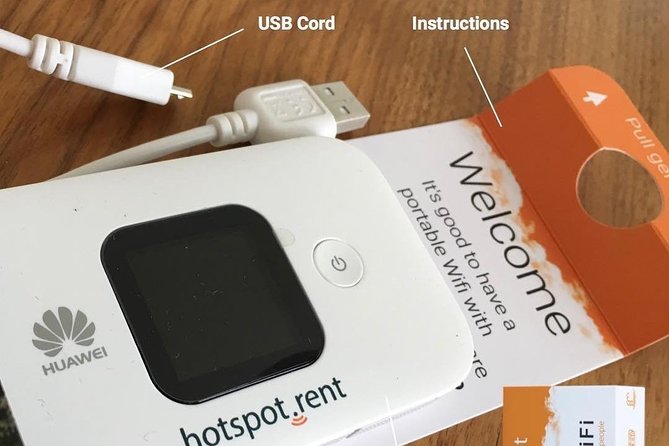
Once the device is in your hands, the service appears straightforward. Turn on the modem, complete the required registration, and connect your phone or laptop to its WiFi network.
The strongest part of the experience is the ongoing connection. One customer described the device as easy to use and said it provided signal everywhere they went. Another gave the service a high score for low cost, unlimited data, fast speed, and convenient collection and return.
Those comments point to the difference between this product and a one-time airport SIM purchase. A SIM card may be fine for one phone, but this hotspot lets a group share one data source. You can leave your personal SIM in place and connect several devices without making each person handle a separate mobile plan.
You will need to keep the modem with you during the day. That is both its strength and its small nuisance. If one person carries it, that person becomes the group connection point. If the group separates, anyone who leaves the modem behind loses access to the rented service.
Battery details are not provided, so you should not assume the hotspot will run endlessly without charging. The rental includes a USB cord, and you should keep that cord with the modem. Since the service is designed for active use around Iceland, carrying the modem and its charging cable together is sensible.
Unlimited data is especially useful for shared use, but unlimited does not necessarily mean unlimited speed in every situation. Signal quality can vary, and several devices using data at once can affect performance. The advertised service is unlimited 4G, not a promise of a particular speed in every location.
Another way to fill a day from Reykjavík:
- Reykjavík: South Coast Waterfalls, Black Sand & Glacier Tour
★ 4.8 · 11,030 reviews - Reykjavík: Whale Watching and Marine Life Cruise
★ 4.6 · 9,838 reviews - Reykjavik: Sky Lagoon Entrance Pass With 7-Step Spa Ritual
★ 4.8 · 6,166 reviews - From Reykjavik: Golden Circle, Kerid, & Secret Lagoon Tour
★ 4.8 · 6,009 reviews
Why group size changes the value
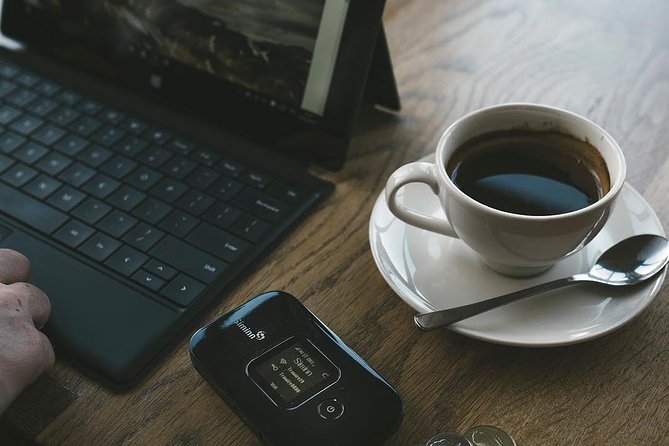
The $67 price is listed per group of up to 10 people. That structure gives this rental a clear audience: couples, families, and small groups who plan to stay connected throughout the trip.
For ten people, it is an easy value calculation. One modem serves the full group, and everyone avoids buying separate data packages. A family of four or six may still find it useful, particularly if children carry tablets or phones and adults need their own devices.
For one person, the decision is less automatic. You may already have mobile service that works in Iceland, or your phone plan may include international data. In that case, compare your existing allowance with the $67 rental price. The hotspot is most useful when you need several connected devices or want to avoid handling a SIM change.
For business use, the ability to connect laptops may be the key advantage. Again, the device limit is 10, but actual performance depends on how many devices are active and the local signal.
I would also think about group habits. If everyone stays together most of the time, one shared modem is practical. If people often split up, separate phone connections may be more convenient. The rental saves money by sharing, but sharing requires a little coordination.
Returning the orange box at the airport
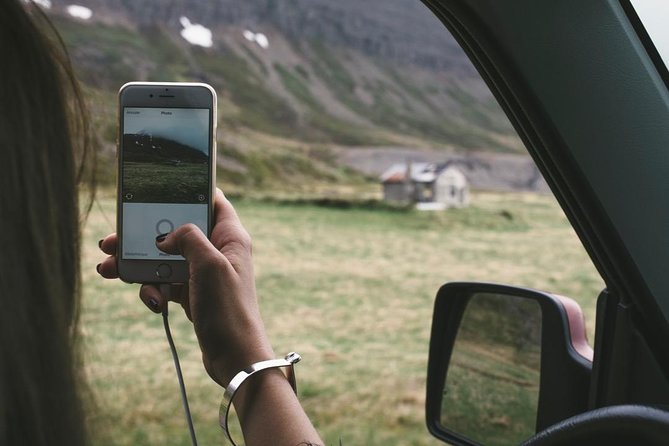
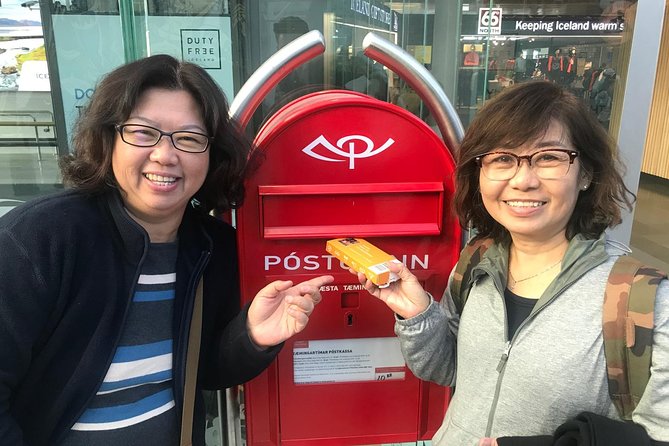
The return procedure is clearer than the pickup process. At the end of your rental, place the modem and USB cord in the same orange box they arrived in. The box is pre-stamped, so you do not need to arrange separate postage.
At Keflavík Airport, you can use one of two mailboxes. One is in the Departure Hall. The other is in the main food hall after security. This gives you a choice based on where you are in the airport.
I would not leave the return until the last possible moment. Make sure the modem, cord, and box are together before you reach the airport. If you use the device right up to departure, place the cord back in the box as soon as you finish. A missing cord could complicate the return.
The two mailbox locations are a useful detail. If you have already passed through security, you can use the post-security mailbox in the main food hall. If you have not gone through security, the Departure Hall box is available.
The official end point is also Keflavík International Airport. The return arrangement is not a handoff to a guide or shop employee. It is a self-service airport drop-off using the prepaid box.
Speed, coverage, and the 4.2 rating
The overall score is 4.2 out of 5 from 15 ratings. That suggests a generally good service with a noticeable weakness in the arrival process.
The praise centers on three things: the connection works, data is unlimited, and returning the unit is easy. One user gave the device five stars for its simple operation and reliable signal. Another specifically praised its speed, price, and pickup and drop-off convenience.
The lower scores focus on confidence and clarity at pickup. A one-star experience described counter staff as unsure which prepaid device to provide. A two-star experience called pickup a hassle even though the service worked continuously after the modem was collected.
That pattern helps you set the right expectations. The modem itself is not the main concern. The first handoff is. If the collection goes smoothly, the rest of the rental appears much more satisfying.
Local support is available, and the provider says contact details are included with the voucher. Use that support rather than spending a long time trying to persuade an uncertain counter employee. The issue may be a new staff member who has not been updated on the rental procedure.
Who should book this Iceland connection
I would recommend this option most strongly to:
- Groups of three to 10 people sharing data.
- Families with several phones, tablets, or laptops.
- People who do not want to replace their regular SIM card.
- Visitors who want unlimited data for a rental lasting 4 to 100 days.
- Anyone who values a prepaid airport return.
I would be more cautious if you are traveling alone, already have a strong Iceland data plan, or need a connection only occasionally. In those cases, the fixed $67 price may not be the best deal.
I would also hesitate if your arrival plans are very rushed. Pickup has caused confusion for some customers, and you may need a few extra minutes to show the correct confirmation and complete registration. The service is not ideal for someone who wants a completely hands-off collection with no need to check codes or instructions.
A group that stays together will get the most from the modem. If your party splits up often, remember that the person carrying the device controls the shared connection.
My booking advice
I like the basic idea. Unlimited 4G, no SIM swap, support for up to 10 devices, and a prepaid airport return solve several common Iceland connection problems at once. The price is particularly attractive for larger groups.
I would book it after checking two things. First, confirm that your dates are fixed because the booking cannot be refunded or amended. Second, save the pickup details and 10-digit order code before you fly.
The strongest praise goes to the service after pickup: the modem is easy to use, the connection is continuous, and the return is simple. The main risk is a muddled collection at the airport. If you prepare for that weak point, this can be a practical and fairly priced way to keep a group connected around Iceland.
FAQ
Where do I pick up the pocket WiFi?
The stated start point is Keflavík International Airport at 235 Keflavík, Iceland. Check your voucher for the exact counter instructions because pickup accounts refer to airport-area locations including 711, TenEleven, and the Polar Bear shop.
Where do I return the device?
Return it at Keflavík International Airport. Put the modem and USB cord in the same orange box and use one of the two prepaid mailboxes.
Where are the airport return mailboxes?
One mailbox is in the Departure Hall. The other is in the main food hall after security.
How many devices can connect at once?
Up to 10 laptops or mobile devices can connect to the hotspot.
Is the data unlimited?
Yes. The rental provides unlimited 4G mobile internet data.
Do I need to change my phone SIM card?
No. You can keep the SIM card in your current mobile device and connect to the portable hotspot by WiFi.
How long can I rent the device?
Rental periods range from approximately 4 to 100 days.
How much does the rental cost?
The listed price is $67 per group, for up to 10 people.
Is airport transportation included?
No airport transportation is described. The experience provides pickup and return arrangements at Keflavík International Airport.
Can I cancel or change the booking?
No. The experience is non-refundable and cannot be changed for any reason after booking.
Fresh around Reykjavík
- Exclusive Snaefellsnes Peninsula Private Day Tour★ 4.0 · 3 reviews
- Tipsy in Reykjavik: Drink with a Viking (Food, Beer, Music)★ 5.0 · 3 reviews
- Sólheimajökull Glacier Hiking Tour★ 3.7 · 3 reviews
- Northern Lights 3 Hours Private tour★ 4.5 · 3 reviews
- Northern Lights Private Tour from Reykjavik★ 5.0 · 3 reviews
- Private Superjeep Tour To Landmannalaugar and Hekla Volcano★ 5.0 · 3 reviews
- From Reykjavik: Private South Coast Tour in Iceland★ 4.3 · 3 reviews
- Iceland’s south coast G spots★ 5.0 · 3 reviews
Reykjavík Tours, compared.
Golden Circle Full-Day Tour with Kerid Crater
Read our review →
Reykjavik Food Walk – Local Foodie Adventure in Iceland
Read our review →

South Coast Waterfalls, Black Sand & Glacier Tour
Read our review →

Sky Lagoon Entrance Pass With 7-Step Spa Ritual
Read our review →